Best receipt scanner apps for iPhone in 2026
Receipt scanners are a crowded category. Most apps look similar on the App Store page — "scan! organize! search!" — but feel completely different after a year of use. This guide focuses on what actually matters when you depend on the data three years from now.
The four criteria that matter
1. OCR accuracy on real receipts
App Store screenshots always show a perfectly-lit, perfectly-flat receipt. Real receipts are crumpled, faded, half-thermal-paper, half-handwritten, often in dim restaurant lighting. The differentiator: how well does the OCR engine handle real receipts?
The two production-grade options today are:
- Apple Vision (on-device). Built into iOS 17+. Runs locally. Excellent for English receipts, multi-language with `recognitionLanguages`.
- Google Vision API / AWS Textract (cloud). Higher accuracy on edge cases (handwriting, non-Latin scripts) but every receipt leaves your device.
For most English-speaking users, Apple Vision is "good enough" and doesn't trade your privacy for the last 2% of accuracy.
2. Privacy posture
Look at the App Store privacy disclosure. Specifically: does the app declare "Purchase History" or "Financial Info" as collected data? If yes, your receipts are being stored on the company's servers — including how much you spent, where, and on what.
This matters because:
- Receipts contain credit card last-4-digits, addresses, and purchase patterns
- That data has resale value to ad platforms, even if anonymized
- Companies pivot, get acquired, get breached. Your purchase history isn't safe forever on someone else's database.
The gold standard: "Data Not Collected" in the App Store disclosure, with the OCR running on-device.
3. Pricing model that doesn't punish loyal users
Three pricing models in this space:
- Free with ads. You're the product. Ads in a finance app are particularly hostile.
- Subscription only. $5-$15/month, no free tier. Fine if you actively manage finances; overkill if you just want a household vault.
- Freemium with reasonable Pro. A meaningful free tier (say, 5-50 items) and a flat yearly subscription ($15-$30) that unlocks unlimited storage + reports.
The third model survives best. It lets users opt in once they're invested.
4. Longevity
If your purchase records live in this app, what happens when the company shuts down? Look for:
- Data export (PDF, CSV, or both)
- iCloud sync using your CloudKit account, not the company's storage
- An app that's been in the App Store for 2+ years (proxy for longevity)
The current landscape
Without naming and shaming, the apps you'll find on the first App Store page split roughly into:
- Expense trackers (Expensify, etc.) — built for business expense reports, not household. Strong OCR, but cloud-first, optimized for tax season, monthly fees.
- "Smart wallets" — broad category aggregating receipts + loyalty cards + offers. Free, but ad-supported. Receipt OCR is usually weakest among these.
- Specialized vaults — focused exclusively on household receipts + warranties. Smaller market, but the best fit when proof of ownership is the use case.
What we built with HomeProof
HomeProof is in the third category by design. Specifically:
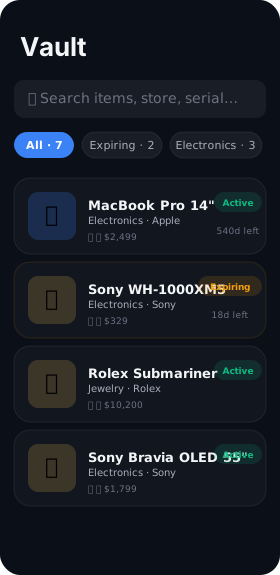
- OCR: Apple Vision on-device. Receipts never leave the iPhone.
- Privacy disclosure: "Data Not Collected." No analytics SDK. No tracking. No ads. Sentry crash reports do not include user data.
- Pricing: Free up to 20 items. $19.99/year for unlimited + insurance reports + cloud backup. 7-day free trial.
- Longevity: SwiftData with optional CloudKit sync — to your private iCloud database. PDF export, share to Files, AirDrop. If we shut down tomorrow, your data is yours.
The best receipt scanner is the one you'll still trust your data with in 2030.
What to test before committing
Whatever app you choose, test these three things in the first week:
- Scan a faded thermal receipt from 6+ months ago. Does the OCR get the date and total?
- Try to export everything to PDF. Does it work? How does it look?
- Search for a partial match (e.g. "appl"). Does it surface both Apple Store and "Apples" produce receipts? (Yes is good — fast filtering matters at scale.)
If an app fails any of those, it won't get easier in year 2.
Try HomeProof free
On-device OCR. No accounts. Free for your first 20 items.
Download on theApp Store